

Reproducible development and testing environments with Spring Boot 3.4
by Emílio Simões, Software Developer
Both during software development and testing, one of the biggest challenges developers face is creating a reproducible environment that can be shared by the entire team.
This has never been an easy task but with the help of tools like Docker Compose and Testcontainers we will see how this can easily be achieved in Spring Boot 3.4
Software development
To build modern software, a developer needs a development environment, which is a workspace equipped with the necessary tools, configurations and resources for software developers to write, test, debug and refine their code before it’s deployed to production.
The big problem here is that usually applications do not live in isolation. They require external components like databases, distributed caches, queues, brokers, etc. Development cannot be done without those dependencies having been satisfied.
Solving the external dependencies problem can be done in several ways, some being better than others. Let’s see what options we have.
Option 1: Using mocks
A mock is a piece of code that the developer can write that returns a static piece of information that can be used during development to simulate, for example, a response from an API.
The problem with this approach is that the information is usually always static, it does not reproduce the real environment or external tool and it’s additional code that needs to be maintained.
Also it’s only a temporary solution that needs to be removed once the application is connected to the external environment and there is no assurance that the real received data matches the mocks that were developed forcing additional code updates that could have been avoided.
Option 2: Use a running service instance
A running service instance, either installed locally or remotely, it’s another option.
When running locally this forces all the developers to install the service on their machines, different developers can be using different versions of the service which can lead to inconsistent behaviour.
When running remotely there’s the guarantee that all developers use the same version of the service but introduces network connections and usually this requires an environment specific for development which is unstable by nature and can cause one developer to create issues to another developer since it is a shared data environment.
Also the services need to be started, stopped and maintained by the team.
Option 3: Use embedded instances
Some services, like databases have embedded instances, these are libraries that we can include in our application and are easier to automate and maintain.
But, using databases as an example, different database engines behave differently and if we use an H2 in memory database in development but then run a PostgreSQL in production this can lead to development problems because H2 does not support the same set of features that PostgreSQL supports restricting the developer in the way that the application is implemented.
Option 4: Use Docker containers
Having a Docker Compose file for the development solves most of the problems from the other options since we can easily run locally the exact version of the applications and services that will be running in production already pre-configured with the correct settings.
But it needs to be started and stopped manually. There is a better way!
Option 5: Spring Boot Docker Compose support
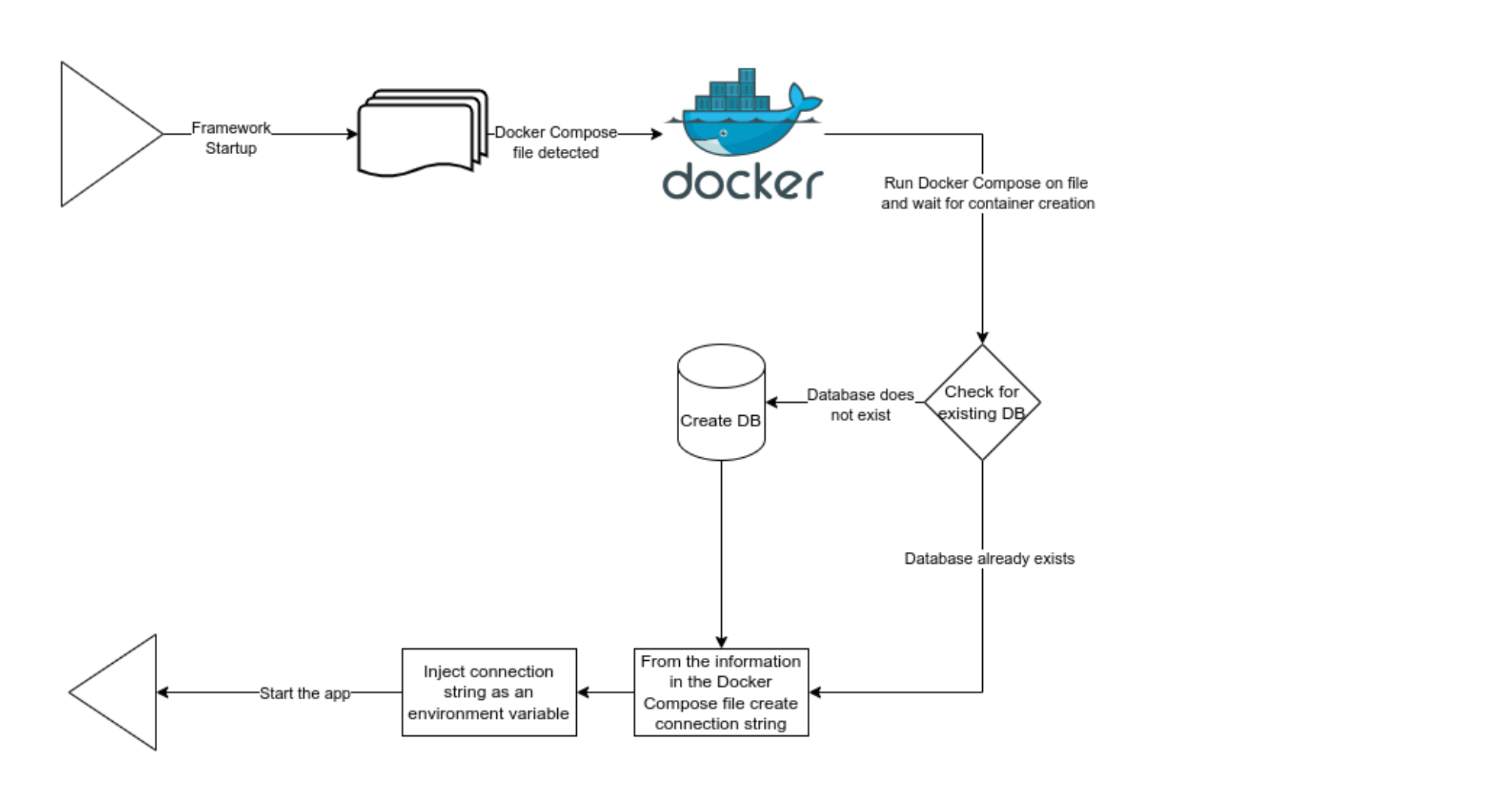
Just by adding the spring-boot-docker-compose dependency to the project this automatically enables some autofigurations in the Spring Boot project that execute some magic in the background when the application is started.
When Spring Boot detects a Docker Compose file in the project root, it will run Docker Compose on that file and start the described containers.
Once again using PostgreSQL as an example, it will run Docker Compose to start the PostgreSQL container, wait for the container to be ready, and then from the information on the Docker Compose file it will generate a connection string that will inject in the application as an environment variable.
This will cause the application to configure a database connection that will connect to the container, all of this without the developer intervention and without the need of having different sets of configurations for development and production.
Something that a few years ago could take hours to configure manually is now executed automatically in seconds.
Software testing
Software testing is the process of checking for errors in an application and verifying that the application behavior matches the desired expectations.
Software testing is important because it allows us to identify defects early, and as a consequence improve the product quality, at the same time contributing to the product security. Testing will also make it easier to add or change features in the future because it gives us the confidence that the existing features do not break and increases the customer satisfaction because it receives a better product.
Types of software testing
Unit tests
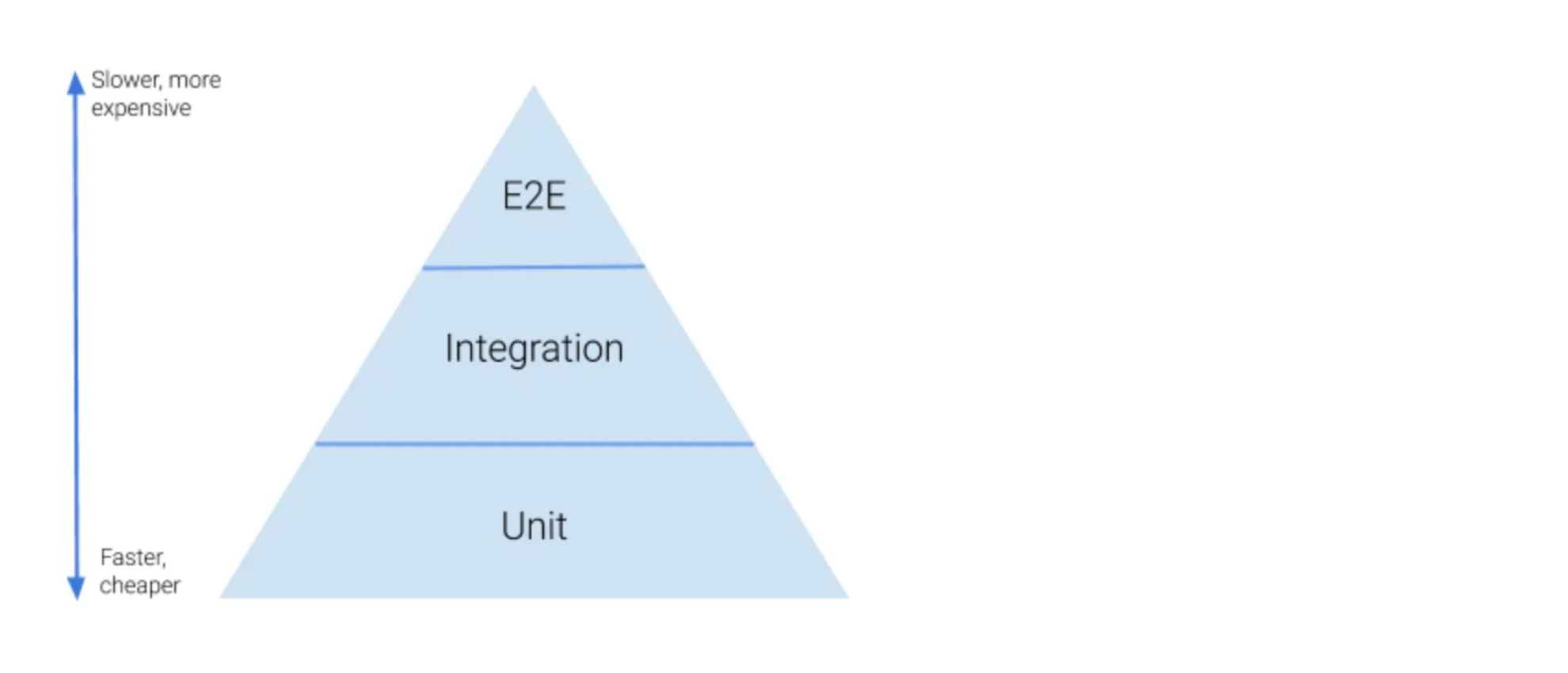
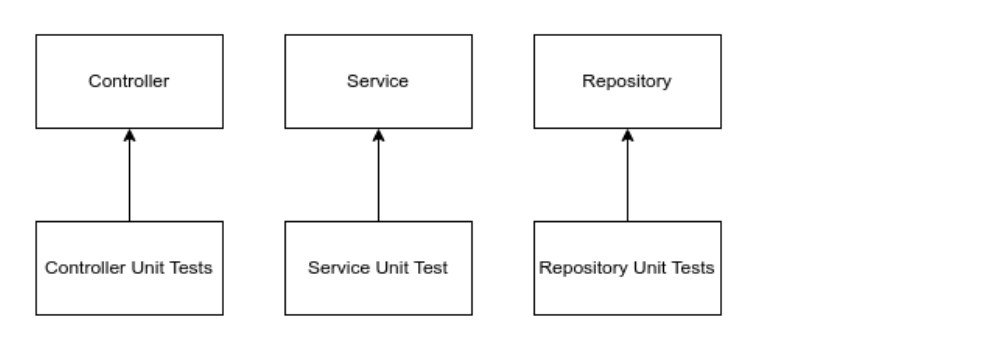
This kind of testing tests the individual components (code units) in isolation to check if they work as expected. These are tests that are fast to execute and are executed often during the development process.
The isolation is done using mocks to make sure that only the code unit behavior in the test is executed.
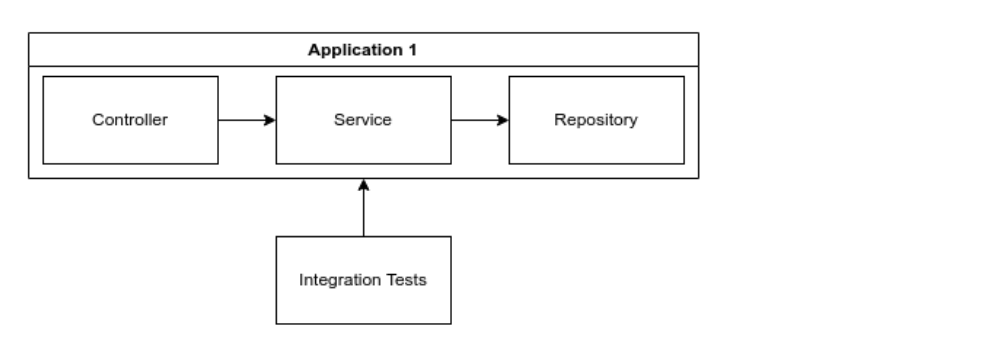
Integration tests
These tests test the interaction between the several application components or external components and ensure that it is working properly. These kinds of tests are usually slower and are run fewer times.
They can use a mix of mocks and real external dependencies depending on the type of integration being tested.
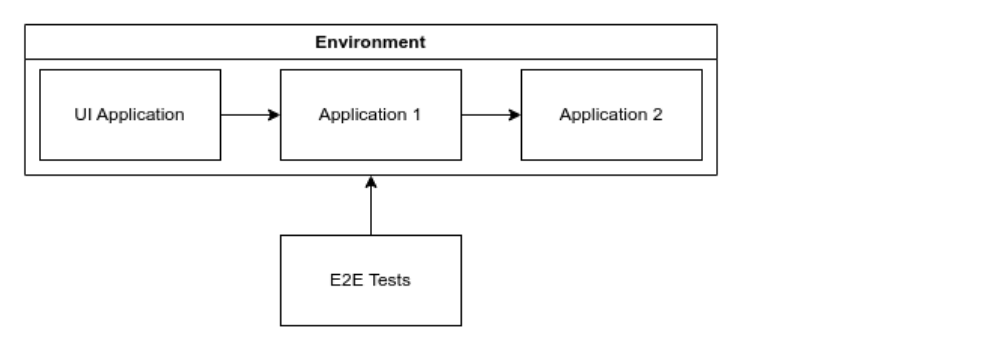
E2E tests
These tests test the entire application or applications from start to finish, usually in a test environment to simulate a real world usage. They take a lot of time to execute and usually are only run at specific points of the development cycle or as a daily job.
These tests always integrate with the external dependencies and never use mocks.
External components problem
Just like the development environment, software testing faces similar problems in relation to the external components but with some subtle differences. Tests need to be run on a clean slate, which means that when a test is started there can’t be any remains, like data, from the previous execution, each test run must be independent of each other.
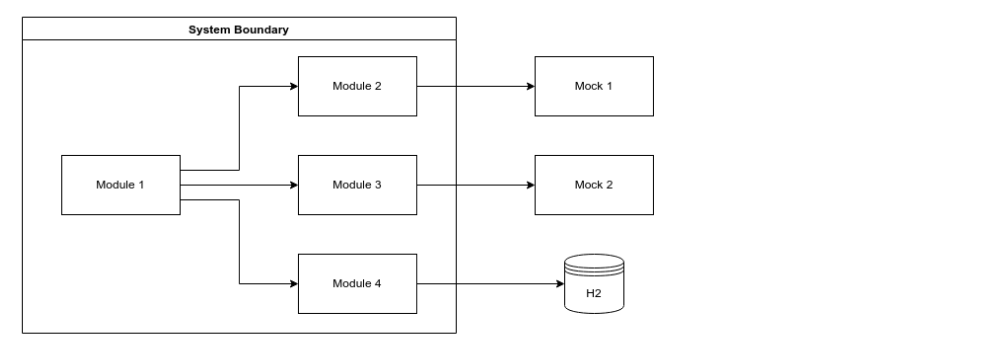
While we could use the same options as in software development these options present themselves as a different set of problems.
Option 1: Using mocks and fakes
Has the same problems that in software development with the difference that is a piece of software that needs to be constantly maintained as long as the test exists. If the application behaviour changes the mocks also need to be updated.
Option 2: Use a running service instance
Also present the same issues as in software development, but add an additional problem. Each test run needs to be independently tested, so at the end of the tests any data produced by the test, for example in a database, needs to be deleted.
Using local or remote instances of the service can make it difficult to automate this, giving the developer the responsibility of cleaning up in the end.
This option also prevents the tests from being run in a pipeline.
Option 3: Use embedded instances
Has exactly the same problems as in software development.
Option 4: Use Docker containers
Would be a possible option since it would reproduce the correct environment but like in option 2 the developer would have to start, clean and stop the containers manually.
Spring Boot Docker Compose support is not an option here because it is designed to create development environments, which means that it keeps state between runs, for example, which is an advantage white developing but an impediment while testing.
Testcontainers to the rescue
Testcontainers is a library that can start and stop one or more docker containers with the same dependency we use in the development environment.
It supports multiple languages, is framework agnostic and can be used with any application or service that can be containerized.
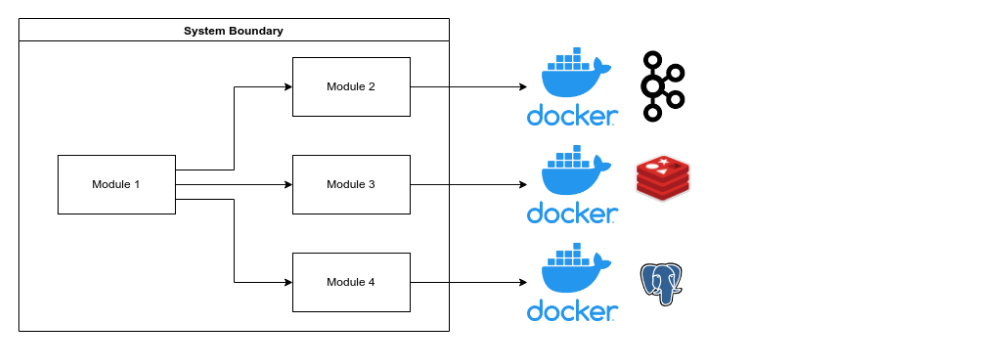
Also, like the Docker Compose, by adding the spring-boot-testcontainers dependency to your Spring Boot project, Spring Boot will automatically execute the Testcontainers defined in your tests and configure the proper connections as environment variables so that the tests use the launched container.
When the test finishes Testcontainer will make sure that both the container and any generated data is deleted so that the next run is executed in the same conditions.
From pain to simplicity
Having reproducible test and development environments was a difficult task to perform in the past. Since the appearance of Testcontainer and the Spring Boot Docker Compose support all of this has become a trivial task.
Both of the technologies are based on files that are inside the project folder and can be managed by your version manager like Git, making sure that the development and test environment are shared with all the members of the team.
No more endless hours preparing your machine to run a project or test a feature, just check out the project, open it on your IDE and press start.
Related Posts


Comments are closed.